

Keep the workbook people already use
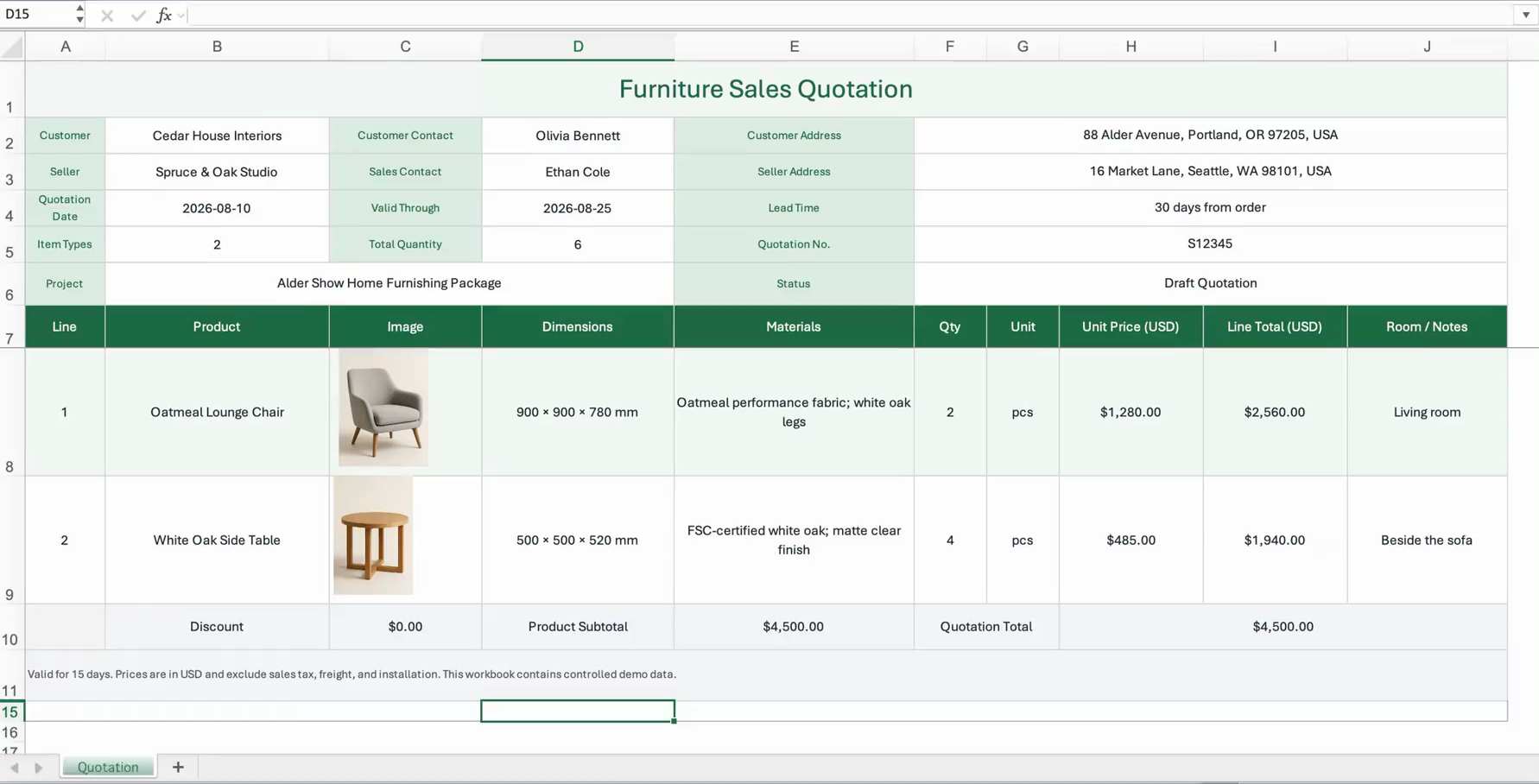
Import supported CSV and XLSX files without first rebuilding every quotation, catalog, or project sheet as a flat template. DataInlet can work with header facts, line-item regions, notes, and merged-cell layouts.
Featured Odoo solution
Turn business-ready Excel and CSV files into Odoo records without rebuilding a flat import template, extracting every image, or matching each relationship by hand.
Why use it
Import supported CSV and XLSX files without first rebuilding every quotation, catalog, or project sheet as a flat template. DataInlet can work with header facts, line-item regions, notes, and merged-cell layouts.
Product pictures embedded in the workbook can travel with the rows they describe and be written to supported Odoo image or attachment fields.
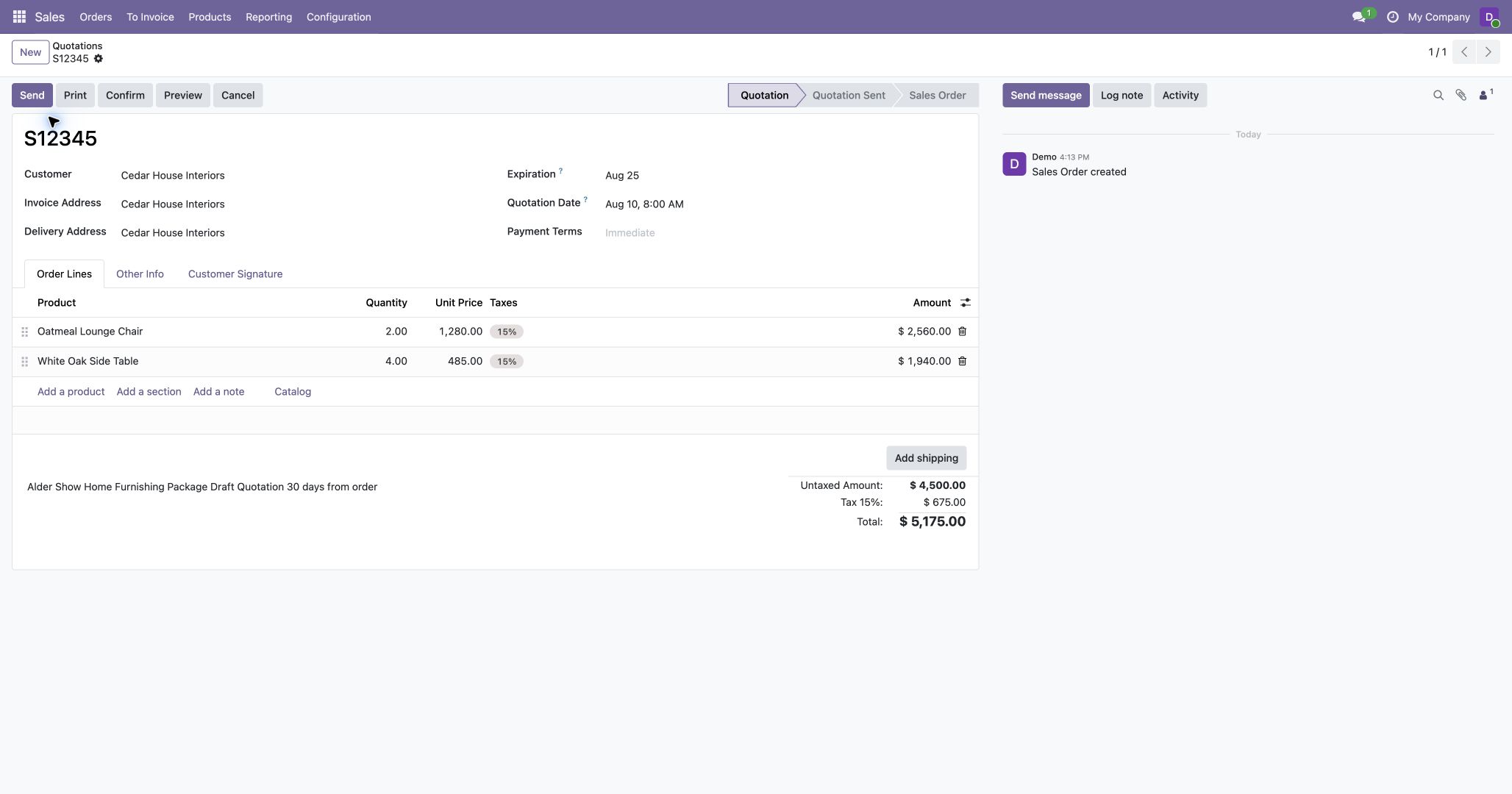
Names and codes in a business file can be matched to Odoo records. Missing related records can be created when the user permits it and the source provides enough information.
How it works
Install the compatible Odoo addons and connect the database to DataInlet.
Start from Odoo or DataInlet, upload the workbook, and add instructions only when the import has a particular business rule.
DataInlet interprets the layout and advances the import. Odoo still enforces its permissions, required fields, and validation rules.
Implementation support
Tapray can help install and connect the addons, review custom fields and target models, and adapt the surrounding Odoo workflow when a standard destination is not enough.
Requirements
DataInlet requires an Odoo environment where compatible custom addons can be installed. Standard Odoo Online does not support this addon path.
The published DataInlet addons cover Odoo 18 and 19. Install the addon version that matches your Odoo major version.
No. Standard Odoo Online does not allow this custom-addon path. Use an Odoo environment where the required addons can be installed.
No. It is designed for files whose layout and relationships require interpretation. The model decides the source-to-target structure; deterministic software reads the source values and performs the permitted Odoo operations.
Explore the product, install the connector, or ask Tapray about your Odoo setup.